We need 12 testers for a 14-day beta test. Sign up below and we'll email you the link to get the app.
Referred by someone? You'll add their code in the hub after signing in — if you build an app with us, they earn a finder's fee.
Next, sign in to your tester hub to get the app. Taking you there now…
After you sign up, we'll email you an opt-in link. Heads up: you won't be able to find the app by searching the Play Store — you have to use the link we send. Here's exactly what each screen looks like. (On iPhone you'll get a TestFlight invite by email instead — same idea, just Apple's version.)
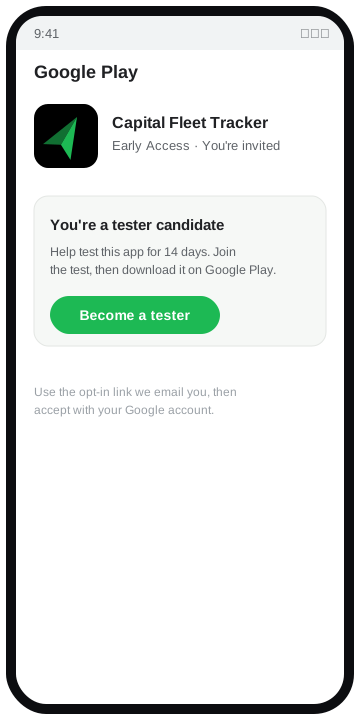
Open the opt-in link we email you, then tap Become a tester and accept with your Google account.
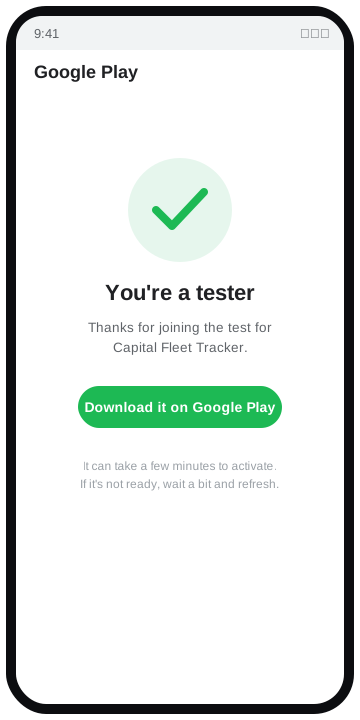
You'll see a "You are a tester" confirmation. It can take a few minutes to activate — if the app isn't available yet, wait a bit and refresh.
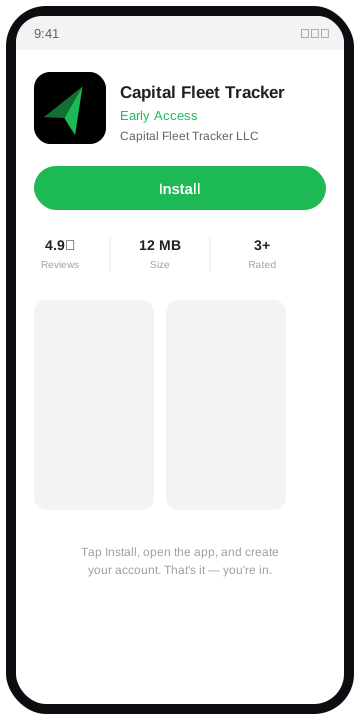
Tap Install on Google Play, open the app, and create your account. That's it — you're in.
You don't have to do everything in one sitting. Poke around naturally, and try to hit these over the two-week window. Anything confusing or broken is exactly what we want to hear about.
Sign up and log in. Tell us if anything in that first flow is unclear or slow.
Enter a make, model, year, and current mileage, and watch its parts populate.
Bump the mileage up and watch each part's maintenance status recalculate.
Record maintenance on a part and confirm its status resets afterward.
Look around the main screens and note anything that feels off or surprising.
Anything confusing, broken, or surprising — email us. Even small notes help.
Please keep the app installed and stay opted in for the full 14 days, and open it a handful of times across those two weeks. That's the whole ask. Knowing this up front is what keeps a test on track — if you bail on day four, the clock can reset for everyone. If two weeks works for you, you're exactly who we need.
Join 12 people getting Capital Fleet Tracker onto the Play Store. It takes under a minute to sign up.
Sign me up to test